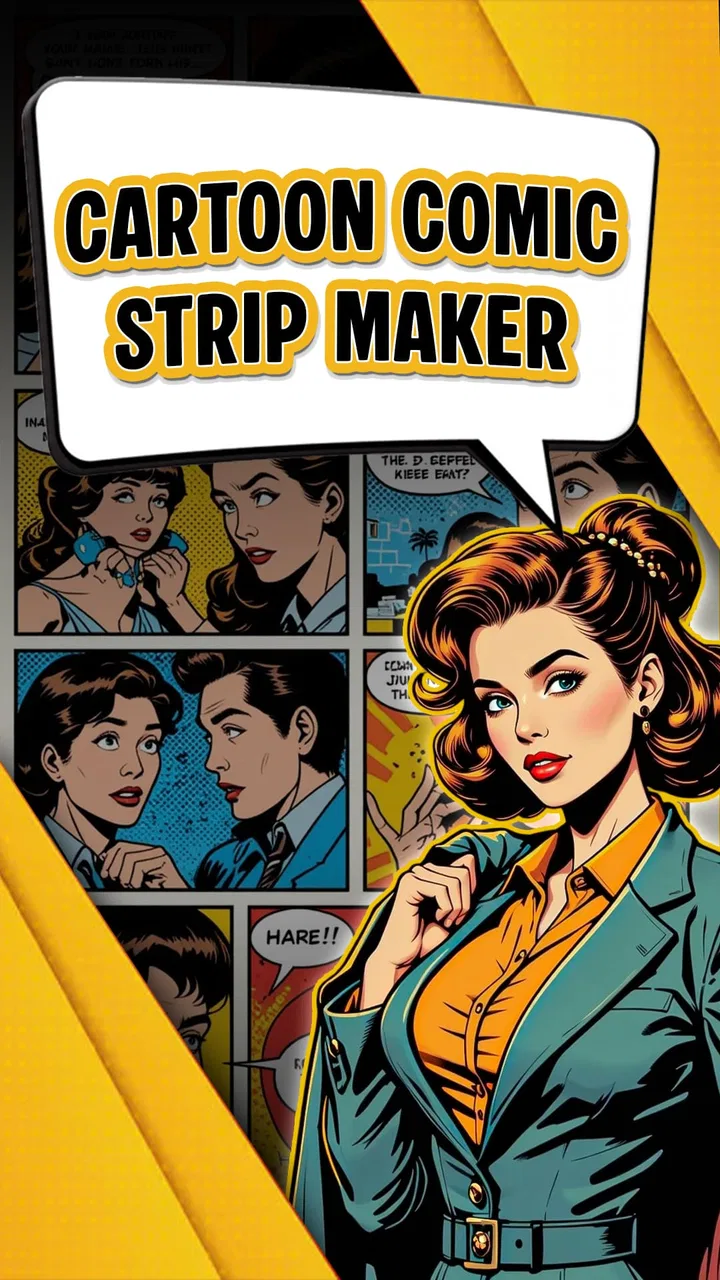
Cartoon Comic Strip Maker
- 3.2
- Rating
- 1.00M
- Installs
- Free
- Price

 Analysis by App-foxy
When I want to turn a quick idea into a small visual story, Cartoon Comic Strip Maker is the kind of app I reach for before opening a full design suite. It focuses on making cartoon comic strips and comic books, so the experience feels more approachable than a general illustration tool. My overall view is positive but specific: this is a useful starting point for casual creators, students, families, and anyone who wants to assemble a readable comic without learning a complicated drawing workflow.
The app is free to install and is made by Csmartworld. It belongs to the comics category, carries an Everyone age rating, and runs on Android 7.0 or later. That combination makes it easy to recommend as a low-risk creative tool for a wide audience. Still, I would not confuse its accessibility with professional depth. It works best when the goal is a quick, personalized comic rather than highly polished artwork or precise page design.
What using Cartoon Comic Strip Maker feels like
The main appeal is the way it turns comic-making into a sequence of small decisions. Instead of beginning with a blank digital canvas and having to invent every visual element, I can think first about the story: who is speaking, what happens in each panel, and where the punch line or conclusion should land. That change in emphasis matters. The app encourages me to plan a short narrative rather than spend all my time wrestling with drawing tools.
You May Also Like

 Blood Strike: 2.5 Anniversary
Blood Strike’s Loadouts Turn Every Drop Into a Tactical Gamble
A close look at Blood Strike’s custom loadouts: how fast access to signature weapons reshapes its battle royale rhythm, rewards preparation, and narrows the gap between fights.

 Pandora - Music & Podcasts
Pandora’s Music Is Easy to Start, but Harder to Recover
Pandora’s strength is its low-effort path from a seed to a station. Its weak spot is how much confidence it asks you to place in connection, setup, and quiet recovery.

 8 Ball Pool
 Is Built on Rivalries, Rematches, and Routine
A close look at the rivalries, rematches, shared routines, and unanswered safety questions that turn a quick pool match into a persistent mobile community.

 Samsung Music
’s Quiet Strength Is Playing What You Already Own
Its reach comes less from spectacle than from dependable access to a personal library. That simplicity is both the app’s strongest retention engine and its ceiling.

 AccuWeather: Weather Radar
AccuWeather Review: A Quick, Clear Forecast for Everyday Decisions
For everyday plans, the best forecast is the one you can understand quickly. AccuWeather makes rain timing, radar, and local conditions easy to act on, with a few trade-offs.

 Hill Climb Racing
Why Hill Climb Racing Still Turns Crashes Into One More Run
A tiny car, a bumpy hill and one more upgrade: Hill Climb Racing keeps resurfacing because its simple chaos makes every near-miss feel personal.
More From Our News Desk
View All News


For a first attempt, I would start with a simple three-panel structure. The opening panel establishes the situation, the middle panel introduces a problem or reaction, and the final panel delivers the result. This approach is especially helpful for a school assignment, a birthday message, a private joke, or a short social post. The finished comic does not need a complicated plot to feel complete; clear sequencing usually matters more than visual ambition.
One of the strongest aspects of the app is its low barrier to entry. Someone who is comfortable writing a sentence but not sketching a character can still explore comic storytelling. I found that useful because the creative challenge shifts from “Can I draw this?” to “Can I communicate this clearly?” That is a more welcoming starting point for children and beginners.
The app also suits quick experiments. I can test a joke, rearrange the order of events, or try a different tone without committing to a large project. That makes it more practical for rough ideas than for a long comic that requires a carefully managed visual identity across many pages. The shorter the project, the more its simple workflow works in its favor.
Why the format is useful for everyday projects
Imagine a family group chat where everyone keeps forgetting to put the recycling bin out. I could create a short comic showing the empty curb, the confused family member, and the final realization. The point is not artistic perfection; it is making a familiar situation more memorable. A classroom could use the same method to explain a historical event, a safety rule, or a sequence in a story.
For personal communication, the comic format adds warmth that a plain message often lacks. A small visual gag can make an invitation, thank-you note, or inside joke feel more personal. I would still keep the text short. Crowding a panel with long explanations reduces the instant readability that makes comics effective in the first place.
A practical workflow is to write the dialogue separately before building the panels. I make a rough list of the characters’ lines, remove anything repetitive, and then divide the remaining words across the scenes. This prevents a common beginner mistake: designing attractive panels first and discovering later that there is no comfortable space for the actual message.
Another useful habit is to create the ending early. Even if I later change the details, knowing the final beat helps me decide what the earlier panels need to establish. In a comic maker, that is more important than it may sound. Without a planned conclusion, it is easy to produce a sequence of images that looks busy but does not tell a satisfying story.
Personalization without the pressure of professional design software
The phrase “personalized comic” is important here. The appeal is not simply selecting a ready-made visual and leaving it untouched. The point is to combine the available cartoon elements with my own dialogue and sequence so the result reflects a particular situation. That is enough for many casual projects, even if it does not replace an illustration app for users who want to draw every detail themselves.
Compared with a general-purpose design application, Cartoon Comic Strip Maker feels more focused. A broad design tool may offer greater control over typography, layers, alignment, and visual effects, but it also asks me to make more decisions before I can produce anything. This app is a better fit when I want the comic structure to guide me instead of building the entire layout from scratch.
The trade-off is control. If I care about exact character proportions, custom brushwork, advanced lettering, or a consistent professional style across a large book, I would choose a dedicated drawing or desktop publishing tool. Those alternatives take longer to learn, but they are better suited to authors who already know precisely how they want each page to look.
For a beginner, though, too much control can become friction. A blank canvas may sound liberating, but it can also lead to endless tweaking. This app’s more directed approach helps me finish something. Its real strength is not replacing an artist’s toolkit; it is helping an ordinary user complete a small comic.
Where the experience starts to feel limited
The same simplicity that makes the app approachable can become restrictive as a project grows. A short strip is easy to imagine and manage, while a longer comic book demands more consistency. I would be cautious about starting a substantial series unless I had already tested how comfortably I could maintain the same characters, visual tone, and pacing from one section to the next.
There is also a difference between personalization and complete creative ownership. Adding your own words and arranging cartoon material can produce something recognizably yours, but it is not the same as drawing original characters or controlling every visual detail. Readers who want a distinctive art style may eventually find the available creative boundaries too narrow.
Text deserves special attention. Comic dialogue has to be brief, legible, and placed so that the reader understands who is speaking. If I write too much, the panel can lose its visual rhythm. If I use vague wording, the images may not carry enough of the meaning. The app can help assemble the comic, but it cannot solve weak editing or unclear storytelling.
I also would not expect the free experience to satisfy every ambitious project automatically. The app is free, while in-app purchases are listed at $6.99 per item. That does not make it a poor value, but it does mean I would explore the basic workflow first and decide whether the available free tools are enough before paying for extras. For a one-off joke or school exercise, spending may not be necessary. For frequent use, an optional purchase could make more sense if it removes a limitation that genuinely affects my projects.
The app’s public reception is mixed rather than universally enthusiastic. It holds an average rating of 3.2 from around 9.7 thousand ratings, with around 124 written reviews, and has passed 1 million installs. I read that as a reason to set expectations sensibly: many people find the concept useful, but the experience may not satisfy every type of creator. The numbers suggest a recognizable app with a sizeable audience, not a guarantee that it will match every workflow.
Small decisions that improve the finished comic
I get better results when I treat each panel as a single visual idea. If the first panel introduces a location, a character, three objects, and a long conversation at once, the reader has too much to process. A cleaner approach is to let the first panel establish the situation, then use the next panel for the change that matters.
Panel rhythm is another overlooked detail. Three panels with identical emotional intensity can feel flat. I try to give them different jobs: setup, complication, and payoff. Even a simple reaction in the middle can create movement if the final panel changes the reader’s understanding of what came before.
I also recommend reading the comic silently from beginning to end before sharing it. If I have to stop and explain what a character meant, the panel probably needs shorter text or a clearer visual cue. This check catches problems that are easy to miss while editing one panel at a time.
For younger users, I would make the activity collaborative. An adult or teacher can ask the child to describe the story aloud, while the child chooses the characters and writes the dialogue. That keeps the app from becoming just a decoration tool and turns it into an exercise in sequencing, vocabulary, and visual communication.
For older users, a useful workflow is to make two versions of the same idea: one with dialogue and one with minimal text. Comparing them reveals whether the cartoon scenes are doing enough storytelling on their own. If the silent version is impossible to understand, the visuals may need stronger actions or clearer panel order.
Who should use it, and who should choose something else
I would recommend Cartoon Comic Strip Maker to beginners who want a friendly introduction to comics, families looking for a creative activity, and students preparing a visual presentation. It is also a sensible option for someone who has funny ideas but does not want to learn illustration software just to express them. The Everyone rating reinforces that broad audience, although younger children may still benefit from guidance when writing or sharing their work.
It is particularly suitable when speed matters more than originality at the pixel level. A short announcement, humorous explanation, mini-story, or personalized greeting can be finished more comfortably here than in a professional graphics package. The app’s focused purpose keeps the task understandable.
I would steer professional illustrators, comic artists, and users building a long-running graphic novel toward a more advanced alternative. If your priorities are custom drawing, detailed layer management, exact print preparation, or a carefully controlled visual identity, a dedicated illustration or publishing application will probably serve you better. The extra complexity of those tools is justified when precision matters more than convenience.
I would also skip it if I only want to browse comics rather than create them. This is a making tool, not a reading-first destination. Its value comes from turning an idea into panels, so users who do not intend to write, arrange, or personalize scenes may find the experience less relevant.
Compatibility, cost, and what to expect over time
The current version is 8.7, and the minimum operating system is Android 7.0. That gives the app a reasonably broad Android reach, especially for users who keep an older phone rather than upgrading frequently. Before starting a large project, I would still save or share completed work regularly, simply because creative projects are worth protecting even when they are short.
The free price makes experimentation easy. I can install it, try a basic comic, and judge the workflow without making an immediate commitment. The in-app purchase price of $6.99 per item is worth considering only after I know what I need. My advice is to begin with a small project that tests the parts most important to me: panel arrangement, dialogue handling, personalization, and the final way I want to use the comic.
Because the app has been available since January 17, 2019, it is not a brand-new experiment. That history, along with its install base, suggests that the concept has had time to find an audience. At the same time, I would not assume that age alone means it has the depth of a modern professional editor. The best way to judge it is by the kind of comic I actually plan to make.
My final recommendation
After using it as a casual comic-making tool, I see Cartoon Comic Strip Maker as a practical middle ground. It offers more direction than a blank drawing canvas, while leaving enough room for personal dialogue and story choices. That makes it appealing to people who want to finish a comic rather than spend hours learning a complicated design system.
Its weaknesses are clear: ambitious artists may outgrow the visual control, longer projects may require more consistency than the workflow comfortably provides, and paid items deserve consideration before purchase. Those are meaningful limits, not minor details. They explain why the app will feel helpful to one person and restrictive to another.
My recommendation is straightforward: try it if you want to make short, friendly, personalized comics on an Android device and value simplicity over professional-level control. Start with a three-panel story, keep the dialogue tight, and test the free experience before considering any $6.99 purchase. If that process feels natural, the app can become a surprisingly effective outlet for jokes, lessons, greetings, and everyday stories.
For me, the deciding point is that it lowers the distance between an idea and a finished visual message. Choose it for approachable comic creation, not for limitless illustration power. With that expectation, Cartoon Comic Strip Maker is easy to recommend to casual creators and beginners, while experienced comic professionals should look elsewhere for their main production tool.
FAQs for Cartoon Comic Strip Maker
01What is the Cartoon Comic Strip Maker app used for?
Cartoon Comic Strip Maker is designed for creating custom comic strips and cartoons. Users can select from various templates, characters, and backgrounds to craft unique stories. The app offers tools for adding speech bubbles, text, and effects, making it ideal for both beginners and experienced comic creators.
02Is Cartoon Comic Strip Maker free to use?
The app offers a free version with basic features, which is sufficient for casual users. However, for more advanced tools and a wider selection of templates and characters, a premium version is available through in-app purchases or a subscription model. This allows users to fully unlock their creative potential.
03What are the system requirements for Cartoon Comic Strip Maker?
Cartoon Comic Strip Maker is available for both Android and iOS devices. For Android, it requires version 5.0 or higher, and for iOS, version 11.0 or later is necessary. Ensure you have sufficient storage space, as the app may require additional space for updates and saved projects.
04Can I share my comic strips directly from the app?
Yes, Cartoon Comic Strip Maker allows users to share their creations directly from the app. You can export your comic strips in various formats and share them via social media platforms, email, or messaging apps. This makes it easy to showcase your work to friends and followers.
05Does Cartoon Comic Strip Maker offer any tutorials or support?
The app includes a comprehensive help section with tutorials for new users. These guides cover basic and advanced features, allowing users to maximize the app's potential. Additionally, customer support is available for troubleshooting and addressing any specific issues users may encounter.
Pros
- User-friendly interface for quick creation
- Wide range of templates and layouts
- Customizable character options
- High-quality export options available
- Supports sharing directly to social media
Cons
- Limited free features available
- Occasional in-app advertisements
- Requires internet for some features
- No collaborative editing option
- Some features locked behind paywall

Cartoon Comic Strip Maker
Gallery